
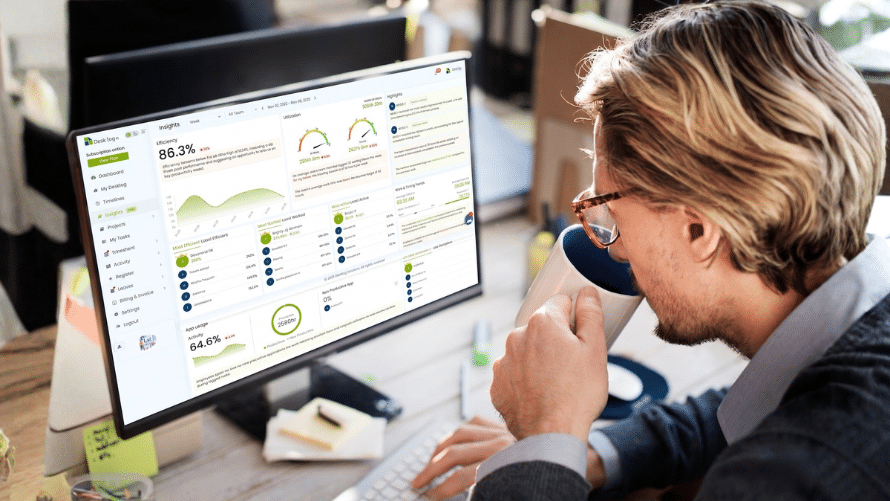

Work from home tracking software keeps tabs on how remote teams spend their hours. Managers use it to log time, spot patterns, and keep projects on track. Plenty of small businesses rely on it these days. It cuts guesswork out of payroll and shows where hours actually go.
You see real activity data instead of self-reported timesheets. That shift matters when teams scatter across cities or time zones.
Here is what actually counts when you pick one.
What it does and how it works
Work from home tracking software logs time spent on tasks and apps. It runs quietly in the background on employee devices. You get reports on active hours, website visits, and project progress without constant check-ins.
Controlio software does this well. It ties activity logs directly to work-from-home tracking software features. Start a session, switch between tasks, and the data flows to a central dashboard. Managers pull summaries anytime from their own laptop.
Setup takes minutes. No complex server installs. Most tools work through a simple browser login or lightweight app. Data syncs automatically. You avoid the old mess of manual spreadsheets that always had gaps.
Real benefits for teams and managers
Accurate time data slashes payroll errors. You pay for hours worked instead of rounded estimates. Projects finish closer to budget because you catch bottlenecks early.
Productivity insights show up without micromanaging. One team I know spotted that certain tools slowed everyone down. They switched and gained two solid hours per person each week.
Remote workers gain flexibility too. They track billable time cleanly for client projects. No more end-of-day scrambling to remember what happened at 2pm. The records stay consistent across devices and locations.
Cost savings add up fast. Less admin time on timesheets means more focus on actual work. For growing SMBs, this compounds quickly over a quarter.
Standout features that matter
Live dashboards give instant views of team activity. Screenshot options or app usage breakdowns help when questions arise. Alerts flag unusual patterns like extended idle time or access outside normal hours.
Mobile support counts. Employees on phones or tablets still log time without switching devices. Some tools add GPS checks for field roles, but you decide what fits your setup.
Reporting tools export clean data for invoices or reviews. Filters let you drill into one person, one project, or the whole team. Integration with payroll systems removes another manual step.
Controlio software shines here because it layers these pieces together without extra fees for basics. You get the core tracking plus room to grow.
Potential drawbacks and how to handle them
Privacy concerns pop up fast. Employees worry about constant watching. The fix starts with clear communication. Share exactly what gets tracked and why it helps the team.
Some tools feel heavy on older laptops. Test on your common setups first. Battery drain or lag can kill adoption before it starts. Pick lightweight options or let people pause tracking during breaks.
Over-reliance on numbers ignores context. A low activity score might mean deep focus work or a tough client call. Pair the data with regular one-on-ones. Numbers guide conversations. They do not replace them.
Legal rules vary by location. Check local laws on monitoring, especially for teams in California or Europe. Transparent policies keep you safe and build trust.
Costs and what you actually get
Entry plans often run around $5-10 per user monthly. That covers basic tracking for small teams. Higher tiers add advanced alerts or unlimited storage.
Most charge per active user. You avoid paying for people on vacation or part-time. Look for trials that run two weeks or more. Real usage reveals the gaps marketing pages miss.
Free versions exist but usually cap users or features. They work for solo freelancers. Growing teams hit limits fast and end up switching anyway.
Service and support realities
Good tools offer quick chat support during business hours. Onboarding help speeds adoption across distributed teams. Look for video guides and templates that match your workflow.
Updates happen regularly. New features address emerging needs like better mobile logging or AI summaries. Pick a provider that ships fixes without breaking existing setups.
The best ones listen to feedback. One adjustment to report formats can save hours monthly for larger teams.
Final words
Work from home tracking software gives you visibility without constant meetings. It handles the details so you focus on results. Controlio software fits many teams because it balances tracking with ease of use.
Start small. Test with one project or department. Measure time saved on admin tasks after a month. Adjust from there.
The right tool turns scattered remote hours into clear, actionable data. Your projects run smoother and payroll stays accurate. That combination pays for itself quickly in 2026.

Comments are closed.